Projects
Projects are the basis of organizing information on the platform. Projects can be used to organize the work of a company, a work team or a particular project.
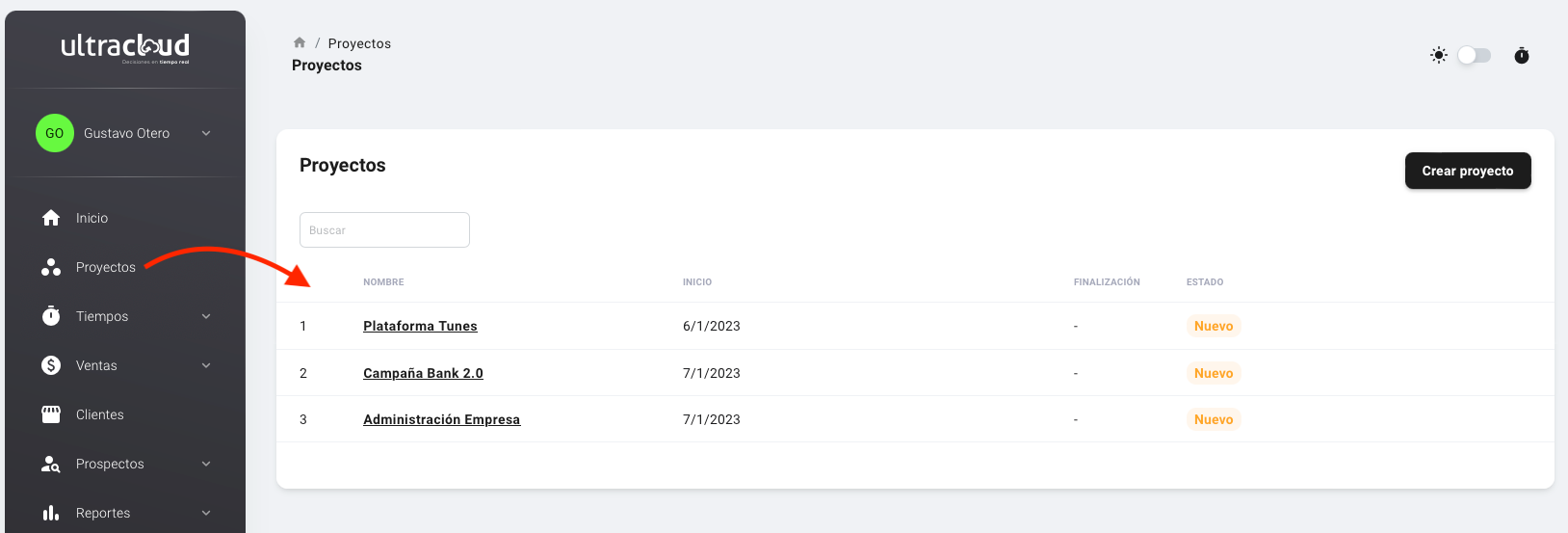
You can access your projects at the following path app.ultracloud.co/projects or by clicking on Projects in the left menu
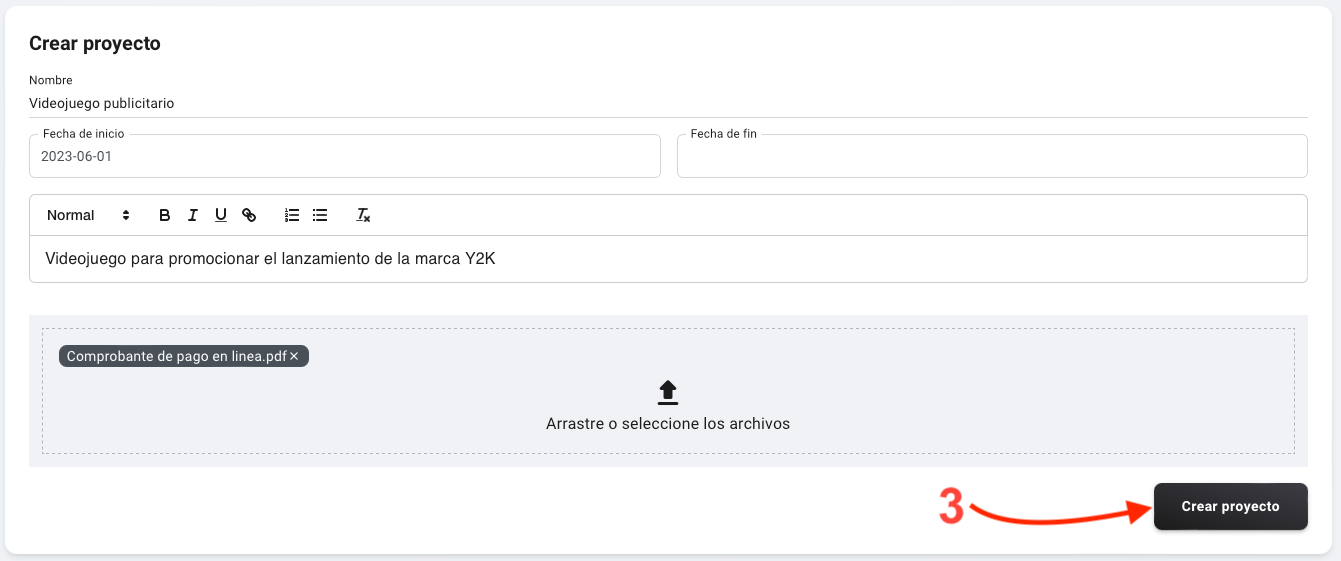
Create a project
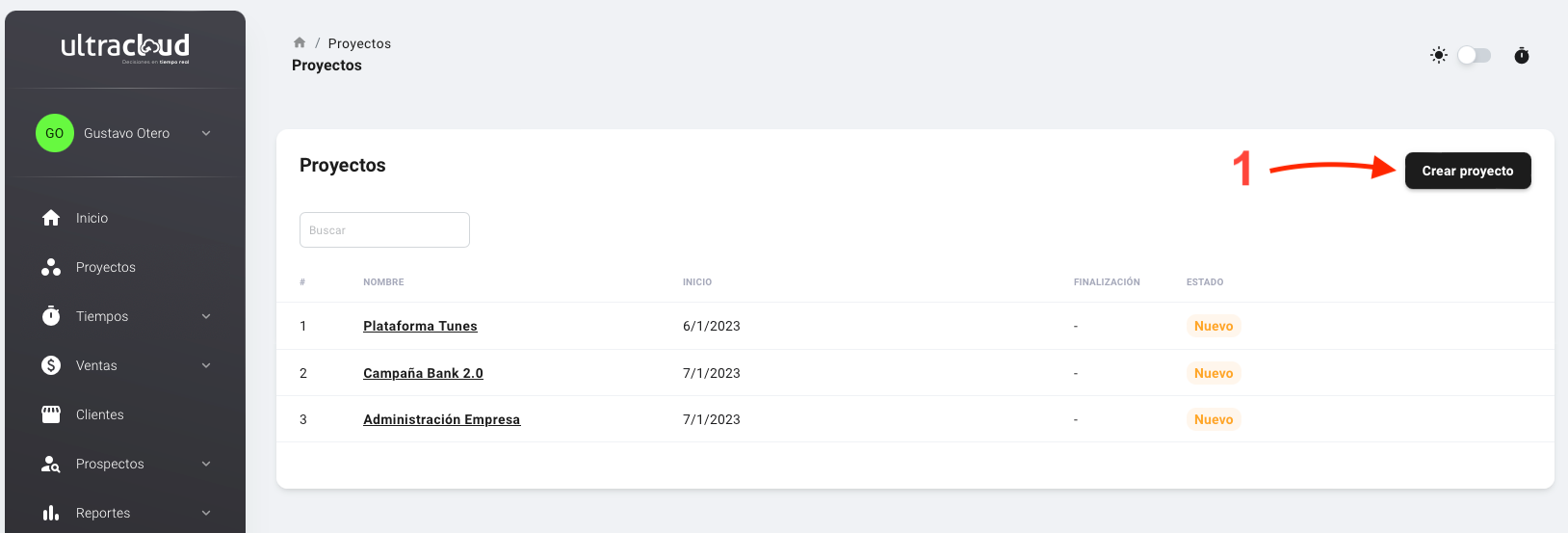
- Click on create project
- Enter the name and other project details
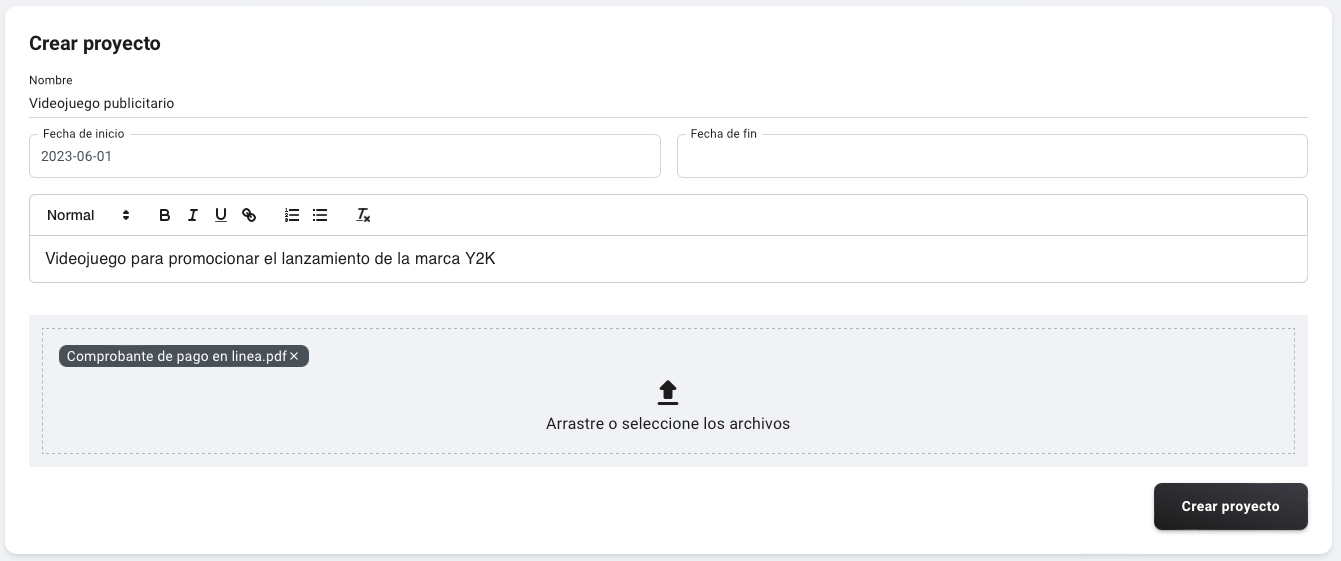
- Click on Create project to confirm the creation of the project
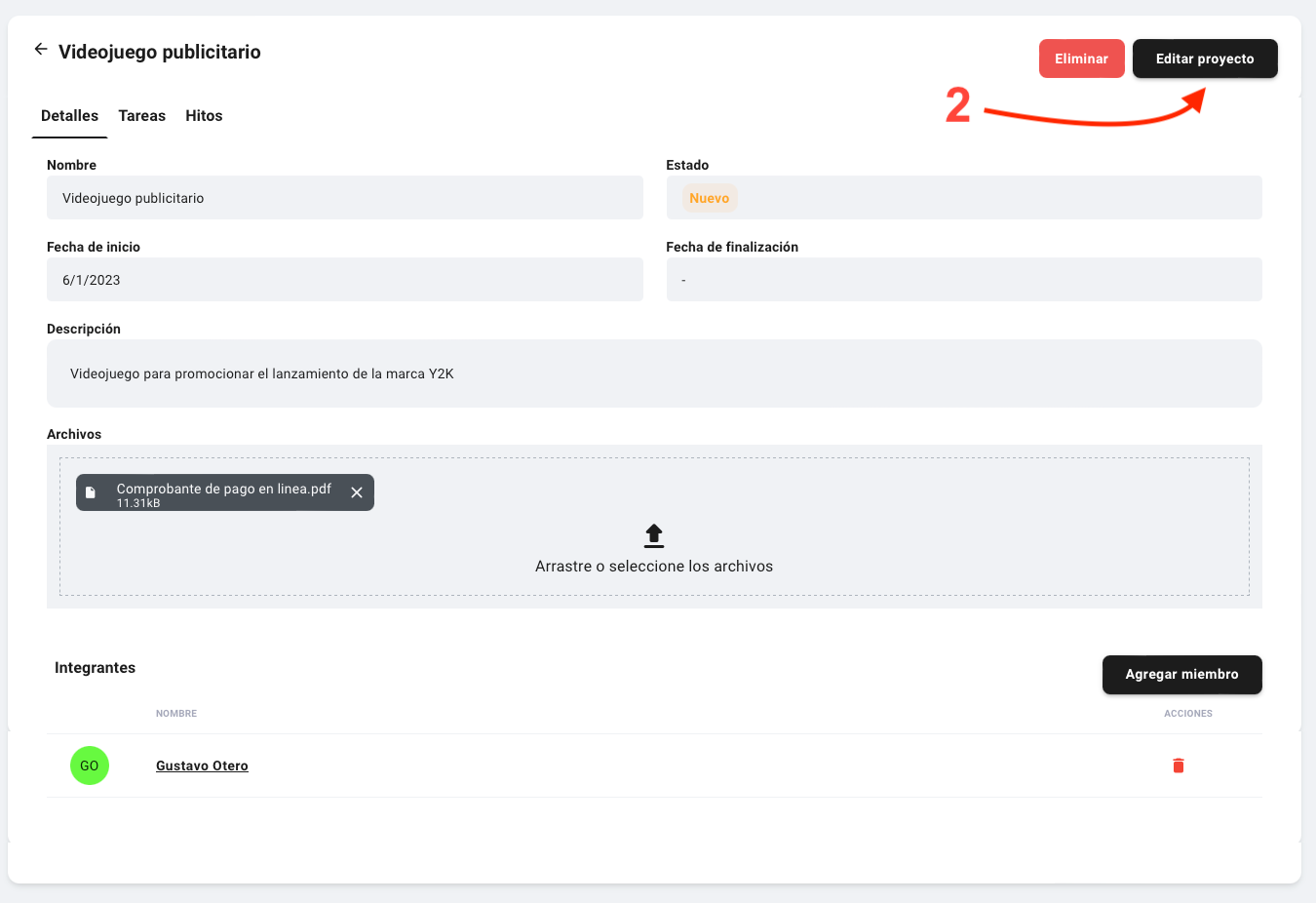
Edit a project
- Go to project view and select the project to edit. The project opens by clicking on its name.
- Once the project is open, click on the edit button
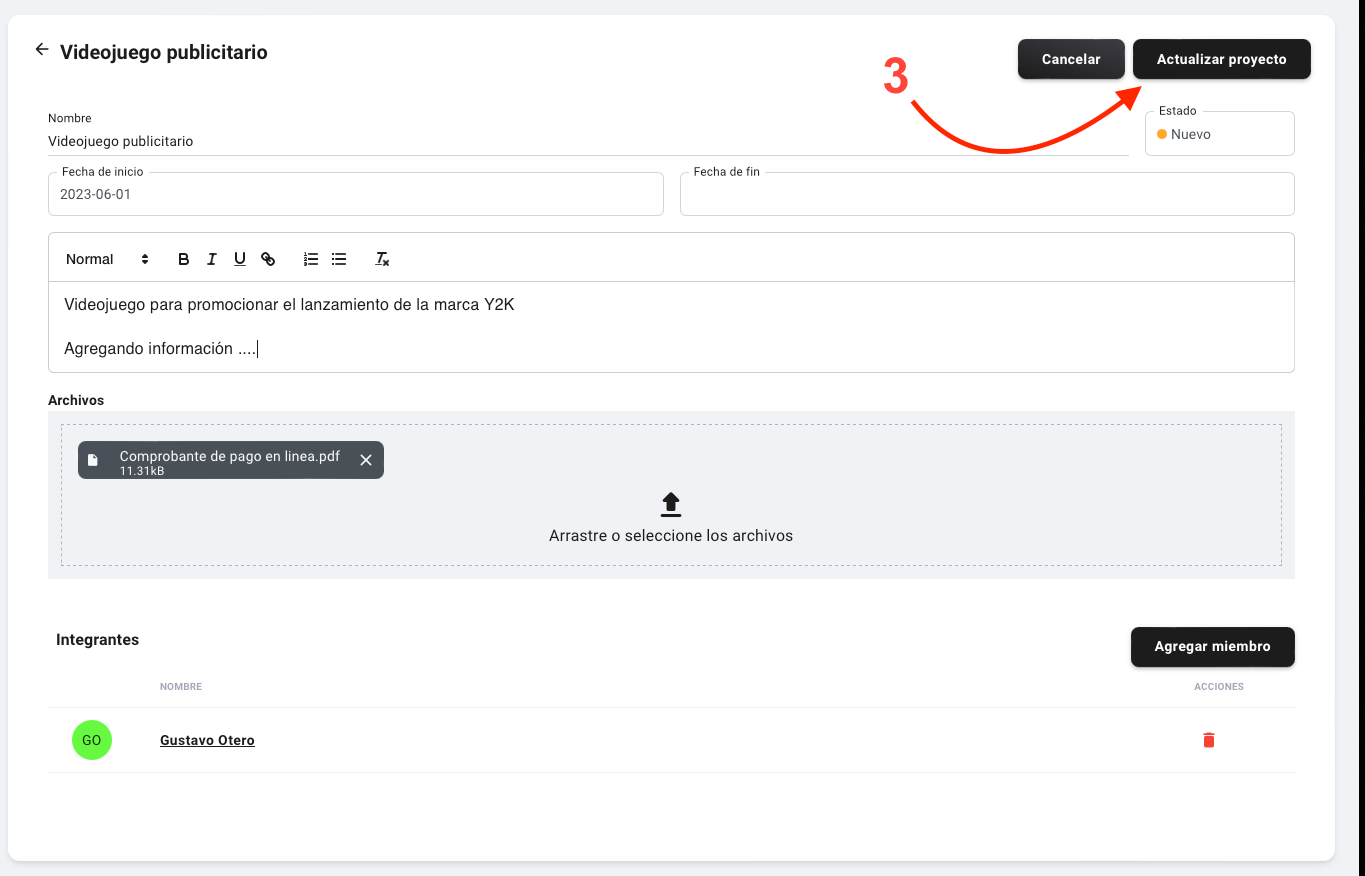
- Edit the necessary fields and click on "Update Project"
Delete a project
- Go to project view and select the project to delete. The project opens by clicking on its name.
- Once the project is open, click on the delete button
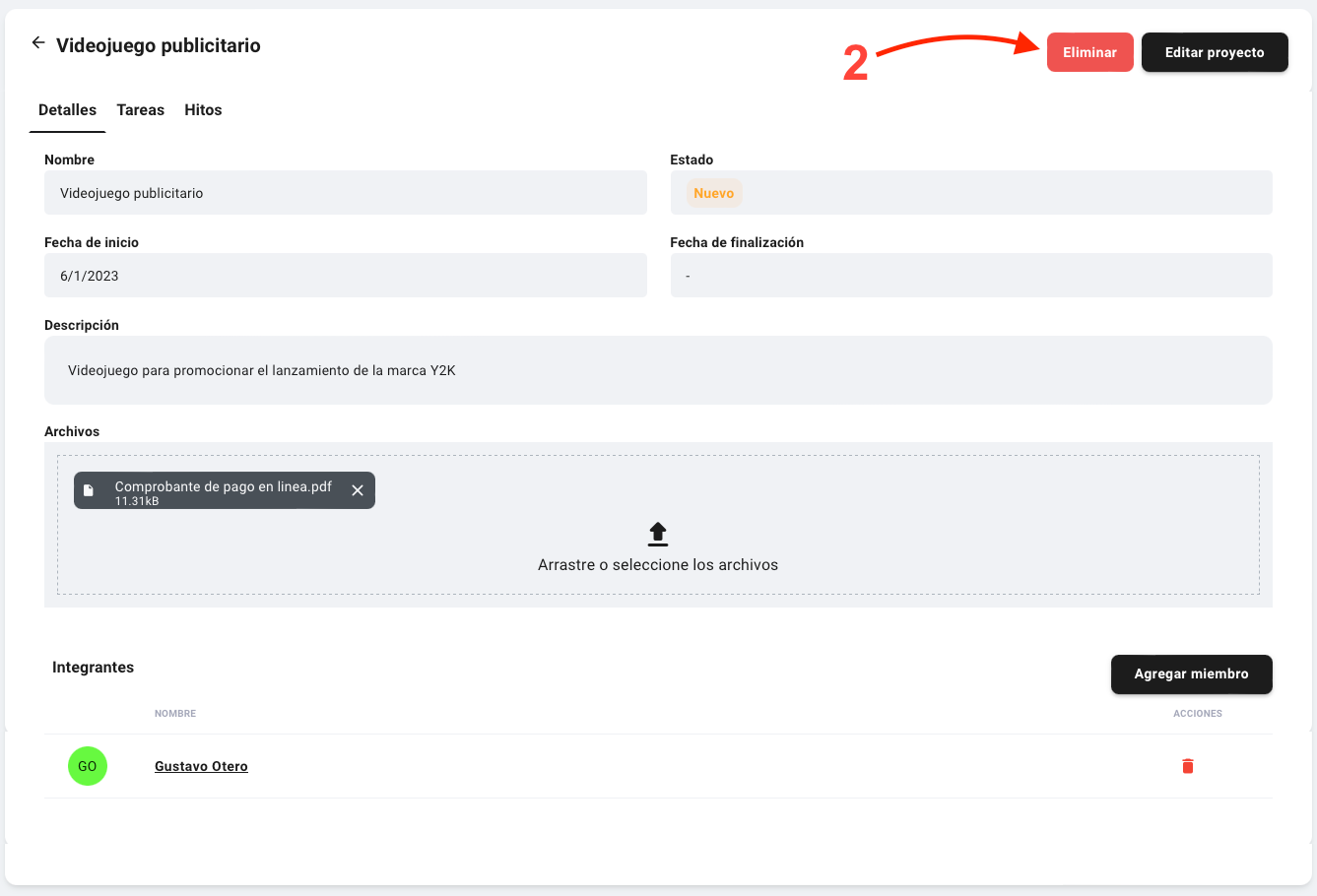
Alert ⚠️: This action cannot be undone, once deleted the project cannot be recovered.
Add a team member to the project
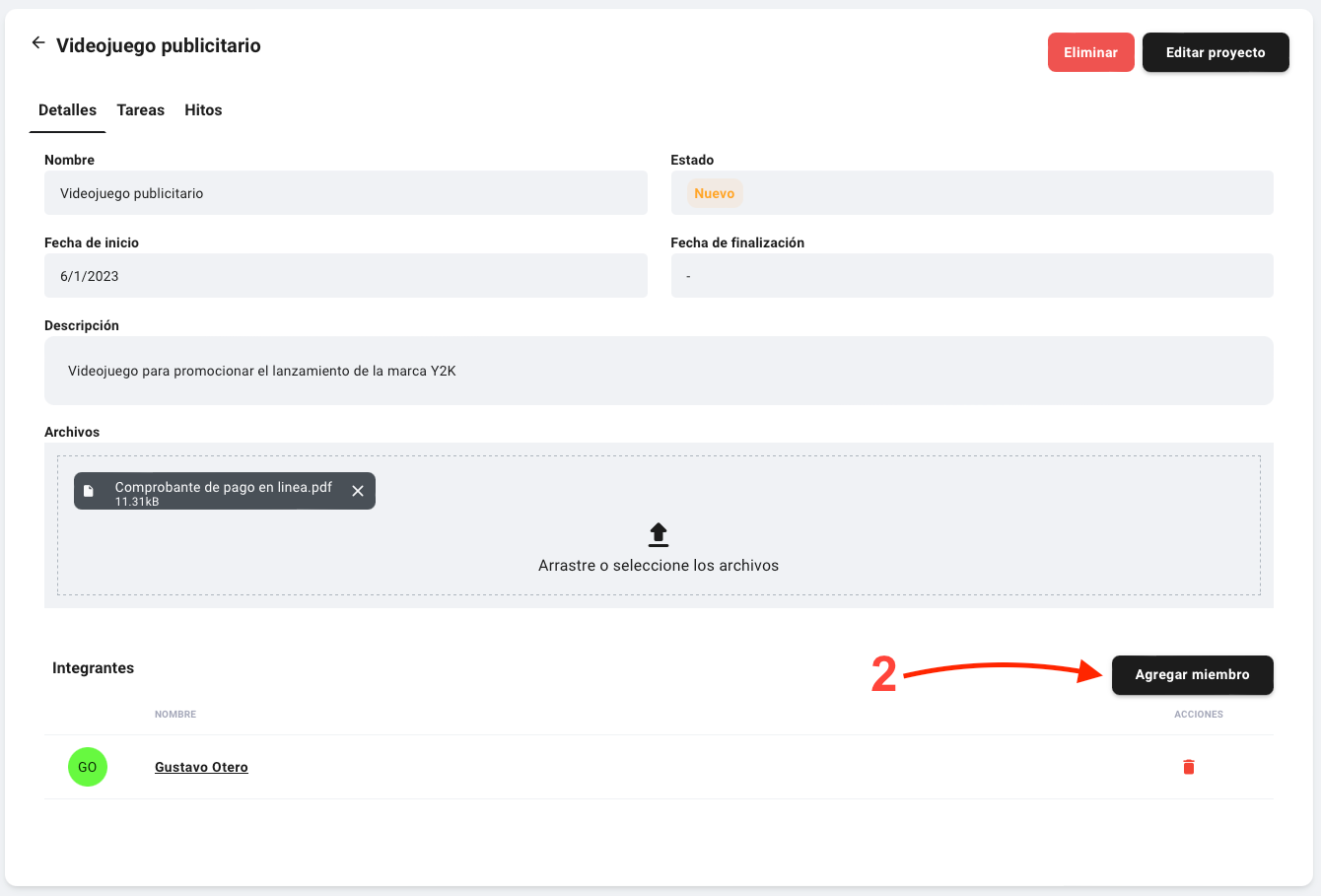
- Go to project view and select the project to edit. The project opens by clicking on its name.
- Once the project is open, click on the "Add member" button
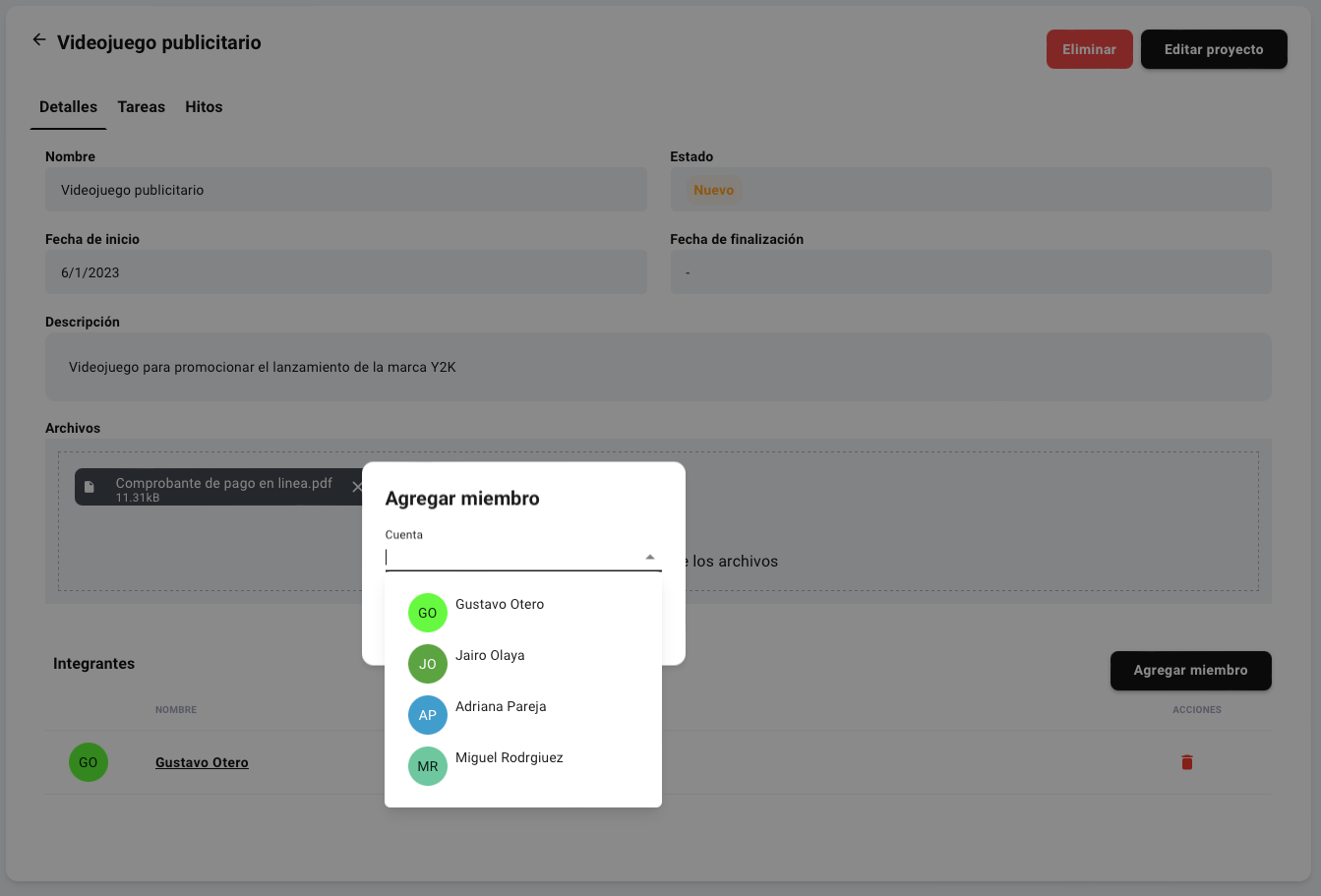
- Search for the team member by name or email
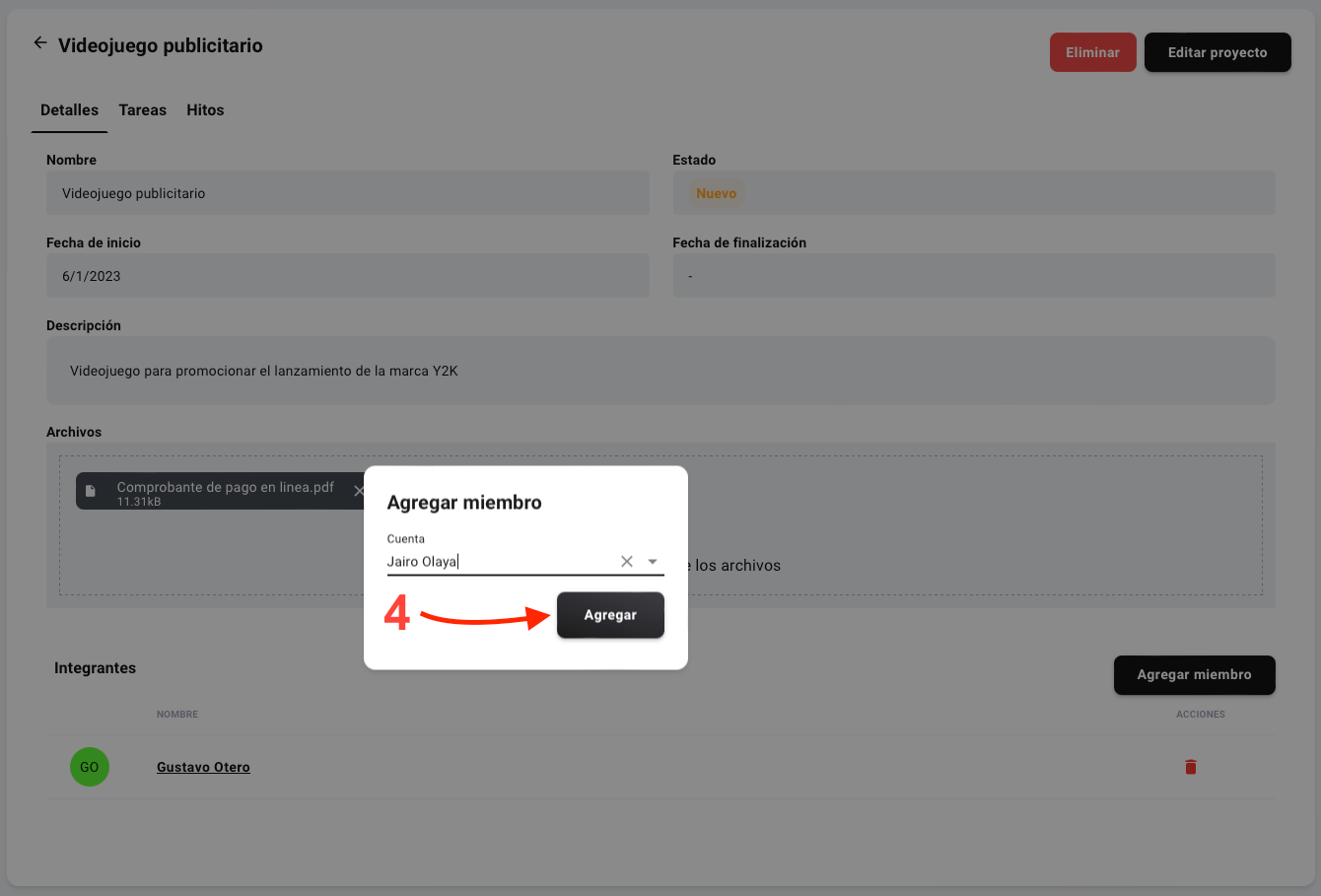
- Finally click on "Add"
Remove a team member from the project
- Go to project view and select the project to edit. The project opens by clicking on its name.
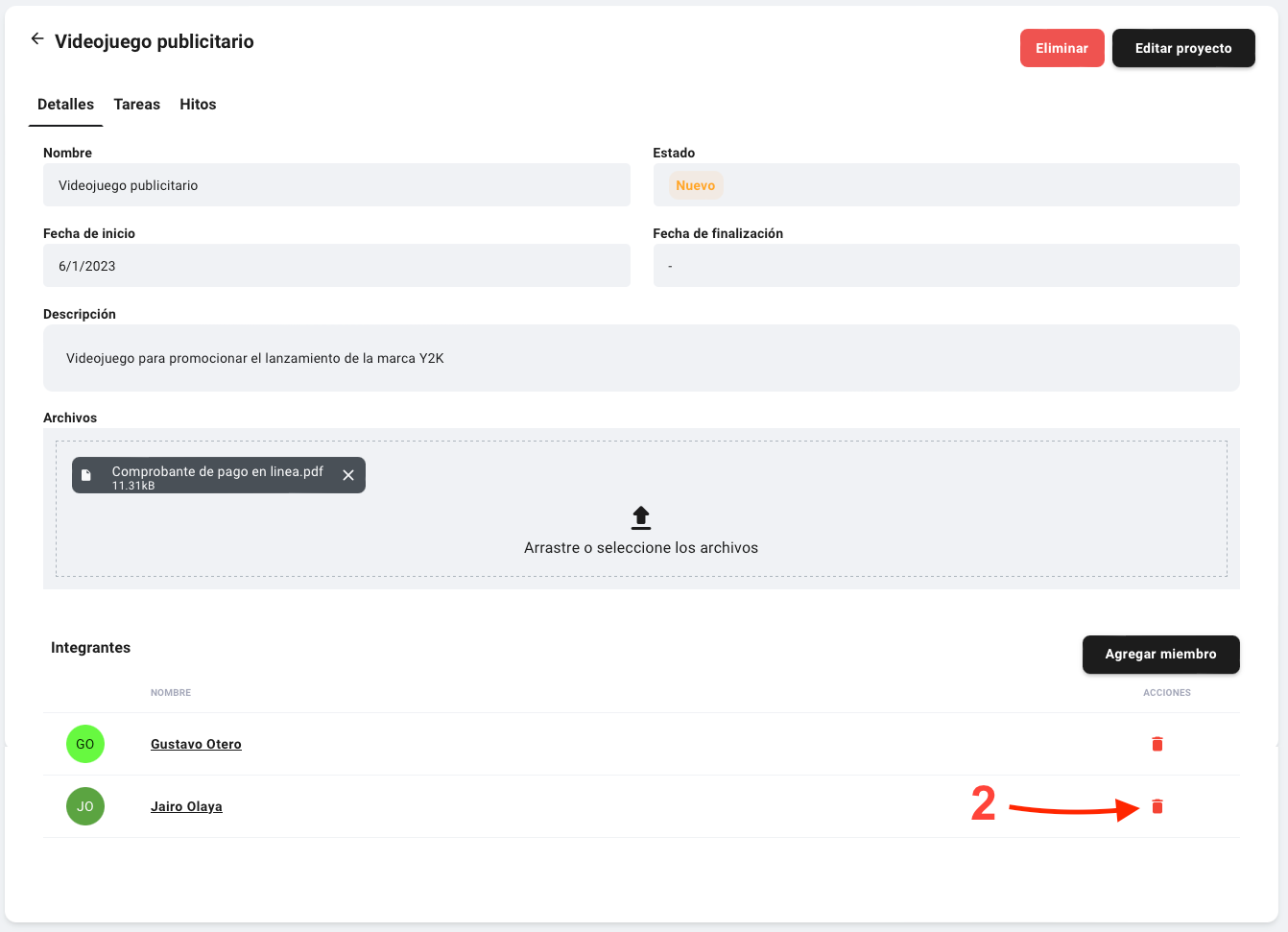
- Once the project is open, look for the user at the bottom of the screen and click on the "Remove" button identified with the icon of a trash can